
A compelling image can make a blog post more engaging, help a product stand out, or give a marketing campaign a professional finish. With AI image generators, creating those visuals no longer requires advanced design skills or expensive photography equipment. The best AI image generator is a tool that creates visual content from written descriptions, reference images, or other inputs.
The challenge is choosing the right tool. Some generators produce striking digital artwork, while others focus on realistic photography, accurate text, or convenient editing. A platform that works beautifully for an artist may not be the best fit for a blogger or small business owner.
That’s why comparing features, image quality, pricing, and commercial usage rights matters before choosing a platform.
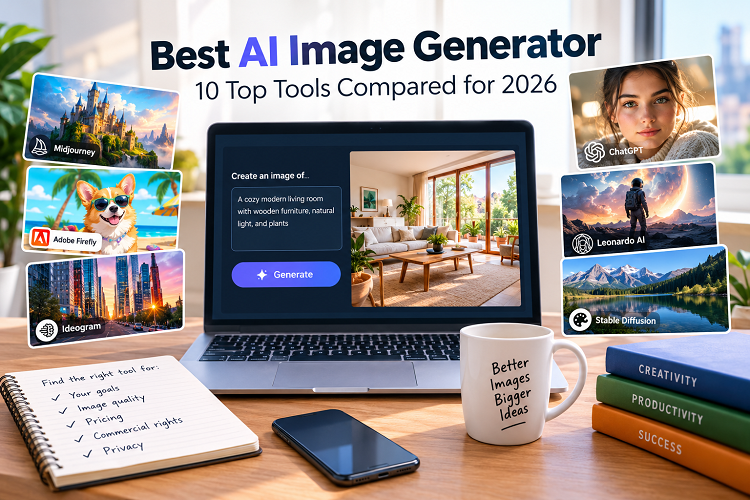
In this guide, we examine 10 leading AI image generators available in 2026, explain what each does best, and explore their limitations. You’ll also find practical prompting techniques, a comparison table, and expert advice to help you choose a tool that fits your creative goals and budget.
Also Read: AI Prompt for Boys
What Is an AI Image Generator?
An AI image generator is a tool that creates visual content from written descriptions, reference images, or other inputs. It uses machine learning models to interpret instructions and generate images that match the requested subject, style, and composition.
For example, you could describe a modern living room with wooden furniture, soft natural light, and floor-to-ceiling windows. The generator turns that description into a visual concept you can review and refine.
Depending on the platform, you may also find features such as:
- Text-to-image generation: Create visuals from written prompts.
- Image-to-image editing: Transform an existing image using new instructions.
- Background replacement: Change a photo’s setting without recreating the entire scene.
- Image expansion: Extend a picture beyond its original borders.
- Style customisation: Explore photographic, cinematic, illustrated, and other visual styles.
- Image enhancement: Increase image dimensions or improve apparent detail.
- Text integration: Create graphics containing headlines, labels, or other lettering.
These capabilities make AI image generators useful for website graphics, product concepts, advertising, social media, digital art, and educational materials.
However, the results aren’t always perfect. Images may contain distorted details, inconsistent objects, or inaccurate lettering. Human review remains essential, particularly when accuracy matters.
Best AI Image Generator Tools in 2026
Each platform below serves a slightly different audience. Rather than treating one tool as the universal winner, consider which features will make the biggest difference to your work.
1. ChatGPT Image Generation — Best for Everyday Creative Work
ChatGPT image generation is a strong option for people who prefer describing what they want in ordinary language. You can develop an image through conversation, review the result, and request specific changes without starting from scratch each time.
Imagine creating a featured image for a home improvement article. You could request a bright, modern kitchen, then ask for a wider composition with more empty space on one side for a headline.
That conversational workflow makes it useful for both beginners and experienced content creators.
Best for: Bloggers, marketers, students, small businesses, and general-purpose image creation.
Pros
- Supports image creation and conversational refinement.
- Makes detailed creative instructions easier to express.
- Works across a broad range of visual projects.
- Helps users explore ideas without mastering complicated design software.
Cons
- Usage limits and available features depend on the current plan.
- Complex images may require several revisions.
- Fine details and generated text can still contain errors.
Expert tip: Give the image a clear purpose before describing its appearance. Tell the generator whether you’re creating a website banner, editorial illustration, product concept, or social media graphic. That context helps guide the composition.
2. Midjourney — Best for Artistic and Stylized Images
Midjourney is widely associated with visually rich artwork, dramatic lighting, and distinctive artistic styles. It’s particularly appealing to creators who want to explore imaginative concepts rather than produce straightforward illustrations.
The platform can be useful for fantasy scenes, editorial artwork, concept development, and visual mood boards.
Its artistic strengths make it worth considering when the image needs a memorable look.
Best for: Digital artists, illustrators, creative professionals, and concept designers.
Pros
- Produces visually distinctive artistic compositions.
- Supports a wide range of creative directions.
- Works well for mood boards and concept exploration.
- Offers considerable scope for stylistic experimentation.
Cons
- New users may need time to learn its workflow.
- Precise control over individual objects can take additional effort.
- Subscription options and features may change.
Expert tip: Describe the lighting, atmosphere, camera perspective, and artistic medium. Instructions such as “soft window lighting” or “cinematic wide-angle composition” provide more useful direction than a vague request for a beautiful image.
3. Adobe Firefly — Best for Professional Design Workflows
Adobe Firefly is designed to support creative production through image generation and editing features. Its connection to Adobe’s broader creative ecosystem makes it especially relevant to people who already use applications such as Photoshop or Illustrator.
Rather than treating generated images as finished products, designers can use Firefly to develop concepts and refine assets within a larger design process.
Best for: Graphic designers, creative agencies, marketing teams, and Adobe users.
Pros
- Integrates with supported Adobe creative workflows.
- Offers image-generation and editing capabilities.
- Helps accelerate concept development.
- Fits naturally into many established design processes.
Cons
- Some features require a paid plan or generative credits.
- Professional projects may need additional editing.
- Availability and commercial terms vary by feature and subscription.
Expert tip: Use Firefly to explore visual directions, then finish the design in your preferred editor. Typography, spacing, brand colours, and small visual corrections often benefit from hands-on adjustments.
4. Ideogram — Best for Images That Include Text
Creating readable text inside an AI-generated image has traditionally been difficult. Ideogram focuses on this challenge, making it a useful candidate for promotional graphics, poster concepts, and typography-led designs.
It can help creators experiment with layouts that combine lettering and imagery.
Still, no text-focused generator should be trusted blindly with important wording. Always inspect the final result.
Best for: Advertisers, social media managers, poster designers, and content creators.
Pros
- Focuses on text rendering within generated images.
- Supports typography and layout experimentation.
- Can help develop promotional graphics quickly.
Cons
- Long phrases can still produce errors.
- Some designs need manual typography corrections.
- Features and usage limits depend on the current plan.
Expert tip: Keep generated headlines short. If the graphic contains a slogan, price, date, or business name, verify every character before publishing. Add the final wording in a design editor when exact spelling is essential.
5. Leonardo AI — Best for Game Art and Concept Design
Leonardo AI offers image-generation and refinement tools for a variety of creative projects. It can be particularly useful when developing characters, environments, fantasy artwork, and visual assets for games.
Creators working on related images should pay close attention to consistency. A character may look excellent in one image but change appearance in another.
Best for: Game developers, concept artists, digital illustrators, and creative hobbyists.
Pros
- Supports a broad range of visual concepts.
- Useful for character and environment development.
- Offers tools for refining generated artwork.
- Can support different creative styles and workflows.
Cons
- Advanced control may require experimentation.
- Maintaining consistency across multiple images takes planning.
- Available features and usage limits vary by plan.
Expert tip: Keep a reference description for every recurring character. Record details such as clothing, hair, facial features, colour palette, and lighting. Reusing those instructions can help maintain a more consistent visual identity.
6. Google Gemini — Best for Convenient AI-Assisted Image Creation
Google Gemini offers image-generation and editing capabilities in supported experiences. Users can describe an idea, develop a visual concept, and request changes through natural-language instructions.
Its conversational approach makes it a convenient option for everyday creative tasks, especially for people already familiar with Google’s AI services.
Best for: Beginners, students, general users, and content creators.
Pros
- Accepts natural-language creative instructions.
- Supports image creation and revisions in available experiences.
- Fits into Google’s broader AI ecosystem.
- Can be useful for quick visual experiments.
Cons
- Features vary by account, region, and plan.
- Some results require repeated prompting.
- Images should be checked carefully before professional use.
Expert tip: Begin with the subject and setting. Once the basic image looks right, refine its lighting, composition, color palette, or background. Making focused changes is often more effective than rewriting the entire prompt.
7. FLUX-Based Image Tools — Best for Flexible Generation
FLUX is a family of image-generation models developed by Black Forest Labs. Depending on the model and implementation, these tools can support photorealistic images, illustrations, and other creative styles.
Some FLUX-based services appeal to developers and advanced users because they offer different levels of customization and control.
However, the experience depends heavily on where and how you use the model.
Best for: Developers, experienced creators, and users seeking flexible generation workflows.
Pros
- Offers multiple model variants for different needs.
- Supports a range of visual styles.
- Some implementations allow extensive customization.
- Can fit into technical and automated workflows.
Cons
- Costs depend on the hosting service or deployment method.
- Local installation may require suitable hardware.
- Licensing terms differ between models and implementations.
Expert tip: Identify the exact FLUX model before building a workflow around it. Review its license, hardware requirements, and commercial-use restrictions rather than assuming every version offers the same permissions.
8. Canva AI — Best for Social Media and Marketing Graphics
Canva combines AI-assisted creative features with a familiar design editor. That combination is useful when you need more than an image file.
For example, you can develop a visual concept and incorporate it into a social media post, presentation, flyer, or promotional graphic. Templates and layout tools can make the finishing process easier for beginners.
Best for: Small business owners, bloggers, marketers, and social media managers.
Pros
- Combines image generation with design and layout tools.
- Provides templates for common marketing formats.
- Helps users produce finished graphics without advanced design skills.
- Supports a convenient workflow for everyday content.
Cons
- Some AI features have usage limits or require a paid plan.
- Generated images may need adjustments to fit templates.
- Professional branding still requires careful review.
Expert tip: If your goal is a finished social media post, evaluate the entire workflow rather than image quality alone. A slightly less impressive image may be more useful if you can quickly turn it into a polished, correctly sized graphic.
9. Microsoft Designer — Best for Quick Promotional Graphics
Microsoft Designer offers AI-assisted visual creation for everyday design projects. It can help users develop social media graphics, invitations, promotional images, and other straightforward materials.
Its accessible workflow makes it worth considering for people who need attractive visuals without spending much time learning professional design software.
Best for: Casual creators, small businesses, and users producing simple marketing materials.
Pros
- Supports common visual design tasks.
- Helps turn basic concepts into promotional graphics.
- Can reduce the effort required for simple projects.
- Requires less traditional design experience than many professional tools.
Cons
- Features and availability may change.
- Detailed layouts can need manual corrections.
- It may offer less specialized control than dedicated creative applications.
Expert tip: Treat the generated design as a first draft. Before publishing, check text placement, spacing, brand colors, image cropping, and the overall message.
10. Stable Diffusion — Best for Customization and Local Workflows
Stable Diffusion has a broad ecosystem of image-generation models, interfaces, and extensions. Depending on the model and setup, users can customize the generation process in considerable detail.
Some implementations support local generation, which can appeal to people who want greater control over their workflow. However, local operation requires appropriate hardware and configuration.
Best for: Developers, advanced hobbyists, technical users, and creators who value customization.
Pros
- Offers extensive customization possibilities.
- Some setups support local image generation.
- Supports a broad ecosystem of models and extensions.
- Can accommodate specialized creative workflows.
Cons
- Setup may be challenging for beginners.
- Local generation can require substantial computing resources.
- Licenses and commercial-use restrictions vary by model.
Expert tip: Choose a maintained interface and a model suited to your project. Before downloading anything, check its source, technical requirements, license, and security considerations.
Best AI Image Generator Comparison Table
Use this quick comparison to narrow your options before testing individual platforms.
| AI image generator | Best use case | Main strength | Potential drawback |
|---|---|---|---|
| ChatGPT | General image creation | Conversational refinement | Plan-dependent limits |
| Midjourney | Artistic visuals | Distinctive visual styles | Learning curve |
| Adobe Firefly | Professional design | Adobe workflow integration | Credit restrictions |
| Ideogram | Text-heavy graphics | Typography-focused generation | Text needs verification |
| Leonardo AI | Game and concept art | Creative asset development | Consistency can take work |
| Google Gemini | Everyday creative tasks | Natural-language instructions | Features vary by account |
| FLUX-based tools | Flexible image generation | Model and workflow choices | Licensing varies |
| Canva AI | Social media designs | Integrated design tools | Some paid features |
| Microsoft Designer | Promotional graphics | Quick design creation | Less specialized control |
| Stable Diffusion | Custom workflows | Extensive customization | Technical setup |
Pricing, availability, and features can change. Check each provider’s official website for current subscription details, usage limits, and licensing terms.
How to Choose the Best AI Image Generator
The right choice depends on what you create, how often you create it, and how much control you need. These factors can help you make a practical decision.
1. Start With Your Main Goal
Identify the type of image you expect to produce most often.
- Blog featured images: Prioritize clear composition, relevant subject matter, and landscape formats.
- Social media graphics: Look for convenient resizing and integrated design tools.
- Product visuals: Focus on accurate details, lighting, and background control.
- Digital artwork: Consider artistic flexibility and style customization.
- Posters and advertisements: Evaluate typography, layout options, and brand consistency.
- Professional creative work: Check export formats, editing features, and software integration.
A generator that excels at fantasy artwork may not be ideal for a product catalog. Choose according to your actual workload rather than popularity alone.
2. Compare Image Quality Beyond Resolution
A high-resolution image isn’t necessarily a good image. It may still contain distorted hands, inconsistent shadows, unrealistic reflections, or objects that don’t make sense.
Generate comparable images using similar prompts. Examine faces, textures, backgrounds, proportions, and small details.
If you plan to publish a series of images, check whether the generator can maintain a consistent style. This matters for brand campaigns, recurring characters, and editorial illustrations.
3. Understand Pricing and Usage Limits
Some platforms provide limited free access. Others use subscriptions, generation credits, or usage-based pricing.
Before paying, check:
- How many images you can generate.
- Whether unused credits expire.
- Whether editing or upscaling consumes additional credits.
- Whether commercial projects are permitted.
- Whether high-resolution exports require a paid plan.
- What happens to saved work if you cancel your subscription.
A free tier may suit someone who creates a few images each month. A designer producing hundreds of assets will have different needs.
4. Review Commercial Usage Rights
Commercial rights deserve special attention if you plan to use generated images on a monetized website, in advertisements, or for client projects.
Read the provider’s current terms and confirm that your intended use is allowed. Some restrictions may depend on the model, subscription, or specific feature.
Permission to use an image commercially doesn’t automatically guarantee copyright protection. Legal questions can depend on the jurisdiction, the human contribution, and whether the image includes protected material.
Avoid using recognizable logos, copyrighted characters, or close imitations of another creator’s work without appropriate authorization.
5. Consider Privacy and Data Handling
Reference images sometimes contain confidential information, unreleased products, or identifiable people. Review the provider’s privacy policy before uploading such material.
Check how uploaded content may be used, how long it may be retained, and what privacy controls your plan provides.
For sensitive projects, don’t upload confidential files unless you understand the terms and have permission to share them.
Practical Examples: Which Tool Fits Your Project?
The best choice becomes clearer when you consider the finished result you need.
For Bloggers and Website Owners
A website featured image should communicate the topic quickly and fit the page’s layout. ChatGPT image generation or Adobe Firefly may suit this workflow.
For example, a home improvement article might benefit from a realistic kitchen image with the main subject on one side and open space for a headline on the other.
For Digital Artists
Midjourney, Leonardo AI, and suitable FLUX-based tools are worth exploring for fantasy scenes, character concepts, and stylized illustrations.
Compare their handling of lighting, textures, composition, and recurring visual details. The most attractive single result may not be the best choice for a larger project.
For Small Businesses
Canva AI, Adobe Firefly, and Microsoft Designer can help turn visual ideas into promotional materials.
Consider how easily you can apply your brand colors, incorporate approved product images, and prepare finished graphics in the required dimensions.
For Posters and Text-Heavy Graphics
Ideogram is worth testing when a design relies on lettering. Pair it with a traditional design editor when exact spelling and typography matter.
Check every word, particularly business names, prices, dates, and promotional claims.
Expert Tips for Better AI-Generated Images
A good generator can only work with the instructions and inputs you provide. These techniques can help you get more useful results.
Write Specific, Well-Structured Prompts
Describe the subject, setting, lighting, composition, and intended use. Avoid piling on details that conflict with one another.
Basic prompt:
A man working in an office.
Improved prompt:
A professional American entrepreneur working at a modern home office desk. Natural window lighting, realistic photography, neutral colors, and a clean background. Horizontal composition, with the subject positioned on the right and open space on the left for a website headline.
The improved version explains not only what should appear, but also how the image should be arranged.
Choose the Right Aspect Ratio
Match the image dimensions to its intended placement.
- 16:9: Website banners, video thumbnails, and landscape graphics.
- 1:1: Square social media posts and product tiles.
- 4:5: Portrait-oriented social media posts.
- 9:16: Vertical stories and short-form video covers.
These ratios are useful starting points, not universal requirements. Check your publishing platform’s current specifications before exporting.
Generate Variations and Refine the Best Result
The first image isn’t always the strongest. Create several alternatives and compare their composition, relevance, and clarity.
Once you find a promising version, adjust one or two elements at a time. Change the background or lighting first, for example, rather than rewriting the entire prompt.
This makes it easier to identify which instructions improve the result.
Inspect Every Image Before Publishing
Take a closer look at the final image, especially if it will appear on a professional website.
Check for:
- Distorted faces, hands, or body proportions.
- Objects that merge or appear in impossible positions.
- Inconsistent reflections and shadows.
- Misspelled words or malformed letters.
- Unwanted logos, signatures, or watermarks.
- Details that contradict the accompanying article.
If the image depicts a product, medical device, uniform, or other recognizable object, verify its accuracy. An attractive image shouldn’t mislead readers about real products or services.
Make Images Useful for Readers and SEO
An image should support the page’s subject rather than serve as decoration alone. A relevant dental illustration, for instance, is generally more useful in a dental article than an unrelated futuristic scene.
Use descriptive alternative text when appropriate, compress image files, and choose suitable dimensions to help pages load efficiently.
AI-generated images can improve the visual experience of a website, but they don’t guarantee higher search rankings. Search performance still depends on content quality, relevance, technical factors, and the usefulness of the overall page.
(FAQs): About Best AI Image Generator
1. What is the best AI image generator in 2026?
The best option depends on your requirements. ChatGPT image generation is worth considering for conversational creation, Midjourney for artistic visuals, Adobe Firefly for design workflows, and Ideogram for text-focused graphics. Compare their results against your specific needs before choosing.
2. Which AI image generator is best for beginners?
ChatGPT, Canva AI, and Google Gemini are reasonable starting points. Their natural-language interfaces can make image creation easier for people without design experience. Available features and usage limits vary by plan.
3. Can I use AI-generated images on my website?
Yes, when the provider’s terms permit your intended use. Review commercial-use restrictions and consider copyright, trademark, privacy, and publicity rights. Check the final image before publishing it on a monetized website or business page.
4. Are there free AI image generators?
Several platforms offer free access, limited credits, or trial features. The available options and restrictions can change. Check generation limits, export quality, privacy terms, and commercial permissions before relying on a free plan.
5. Which AI image generator produces the most realistic images?
Several modern generators can create convincing photorealistic images. Results depend on the model, prompt, subject, and editing process. Test the same prompt across your preferred tools and inspect the details instead of relying solely on promotional examples.
6. Which AI image generator is best for text inside images?
Ideogram is a strong candidate for text-focused designs. Other generators may also produce useful lettering, but complex text can contain mistakes. Verify the wording or add it in a design editor when accuracy matters.
7. Can AI image generators create different artistic styles?
Yes. Many tools can produce realistic photography, cartoons, paintings, illustrations, and 3D-inspired scenes. Describe the desired medium, lighting, color palette, and composition to guide the result.
8. Are AI-generated images automatically copyright-free?
No. AI-generated images aren’t automatically free of copyright or other legal concerns. Copyright protection depends on applicable law and the human contribution involved. Existing artwork, trademarks, and recognizable individuals can raise separate legal issues.
9. How can I write a better AI image prompt?
Start with the subject and setting, then specify the style, lighting, composition, and format. Keep your instructions consistent. Review the first result and make targeted adjustments until the image meets your needs.
10. Do AI-generated images help with SEO?
They can support useful, engaging website content, but adding AI images alone doesn’t guarantee better rankings. Choose relevant visuals, provide appropriate alternative text, optimize file sizes, and focus on content that answers readers’ questions.
Conclusion: Best AI Image Generator
The best AI image generator is the one that fits your creative goals, budget, and workflow. ChatGPT image generation is useful for conversational creation, Midjourney stands out for artistic exploration, Adobe Firefly supports professional design workflows, and Ideogram deserves consideration for text-heavy graphics.
For bloggers and website owners, relevant visuals, convenient editing, and suitable image dimensions may matter more than advanced technical controls. Designers and developers may prefer tools that offer deeper customization.
Before purchasing a subscription, test your leading options with comparable prompts. Evaluate image quality, pricing, usage rights, privacy policies, and the amount of editing each result requires.
Ultimately, the generator is only one part of the process. Clear instructions, careful review, and thoughtful editing will help you create visuals that look professional and genuinely serve your audience.