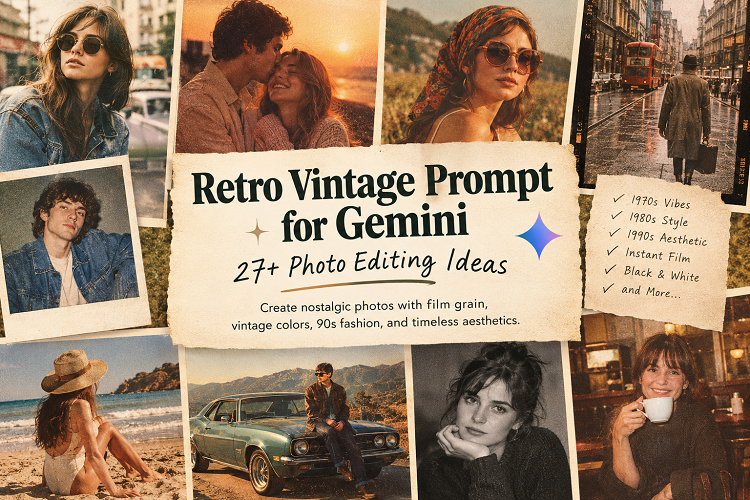

Some photographs never go out of style. Warm film tones, soft lighting, faded colours, and the occasional grainy detail give vintage pictures a character that modern digital photography often tries to recreate. You don’t need an old film camera to achieve that look. With Google Gemini’s available image-generation and editing features, you can experiment with nostalgic portraits, retro fashion, classic film aesthetics, and photographs inspired by earlier decades. The results depend heavily on how you describe your vision. A basic request to make a photo look vintage may produce a generic filter. A detailed retro vintage prompt for Gemini can guide the lighting, clothing, colour palette, background, and photographic style.
Whether you’re drawn to the relaxed fashion of the 1970s, the bold portraits of the 1980s, or the candid snapshots of the 1990s, the right prompt can help you create something distinctive.
This guide brings together 27 creative prompts, practical editing techniques, and expert tips to help you produce more convincing vintage-inspired images. Each prompt is ready to copy, customise, and use as a starting point for your next project.
Also Read: Prompt for Gemini AI Boy
What Is a Retro Vintage Prompt for Gemini?
A retro vintage prompt for Gemini is a text instruction that describes the appearance of an image you want to generate or edit. It can specify a historical decade, clothing style, lighting setup, colour palette, and photographic texture.
For example, you might ask Gemini to turn a modern portrait into a candid photograph inspired by a 1990s point-and-shoot camera. Your instructions could include direct flash, faded colours, denim clothing, and subtle film grain.
These details give the image model a clearer creative direction than a general request for an old-fashioned look.
When image editing is available, you can also upload a photograph and describe which elements should change. You might want vintage colours and softer lighting while keeping your face, hairstyle, and original pose recognisable.
Why Are Vintage-Style Photos So Popular?
Vintage photography offers something beyond an old-fashioned appearance. It creates a mood, suggests a story, and gives ordinary moments a sense of history.
Several qualities make this aesthetic appealing:
- Nostalgia: Faded colours and film textures recall family albums, old snapshots, and printed photographs.
- Timeless fashion: Denim jackets, leather coats, classic sunglasses, and tailored outfits add personality.
- Visual storytelling: A carefully chosen decade can establish a recognisable atmosphere.
- Social media appeal: Retro portraits can stand out among highly polished digital images.
- Creative flexibility: You can explore different eras without buying vintage equipment or assembling period-specific outfits.
The most convincing results usually combine a clear subject with a few carefully chosen photographic details.
Best Retro Vintage Prompt for Gemini
If you’re unsure where to begin, start with this versatile portrait prompt. It works as a foundation for profile pictures, fashion portraits, and nostalgic photo edits.
1. Classic Retro Portrait Prompt
Copy-and-paste prompt:
Transform the uploaded photo into a realistic vintage portrait inspired by 1990s film photography. Preserve the person’s identity, facial features, skin tone, hairstyle, and natural proportions. Add warm, slightly faded colors, subtle analog film grain, gentle highlights, and soft shadows. Use natural window light and an authentic film-camera aesthetic. Style the subject in classic denim and timeless casual clothing. Keep the composition natural and slightly imperfect, like a photograph discovered in an old family album. Maintain realistic skin texture and believable lighting. Avoid excessive smoothing, exaggerated filters, and artificial facial changes.
This prompt works because it addresses both the desired style and the details that should remain intact.
You can customise it by changing the decade, outfit, background, or lighting. For a 1970s look, emphasise earthy colours and golden sunlight. For a 1990s snapshot, try direct flash and casual streetwear.
2. 1970s Vintage Photography Prompt
The 1970s aesthetic often features earthy colours, relaxed fashion, and warm natural light. It works especially well for outdoor portraits and casual lifestyle photography.
Prompt:
Transform the uploaded photograph into a realistic portrait inspired by 1970s film photography. Preserve the subject’s identity, facial features, and natural proportions. Use warm golden sunlight, muted orange and brown tones, subtle film grain, and gentle analog imperfections. Add period-inspired clothing and a relaxed outdoor setting. Keep the colors slightly faded without making the skin look unnaturally orange. Create the feeling of a candid photograph taken decades ago.
Best for: Outdoor portraits, nostalgic fashion, and warm lifestyle images.
3. 1990s Retro Aesthetic Prompt
Direct flash, casual denim, and spontaneous framing give 1990s photography its familiar snapshot quality.
Prompt:
Edit the uploaded photo into a realistic portrait inspired by 1990s film photography. Keep the person’s face, identity, hairstyle, and body proportions recognizable. Add casual streetwear, vintage denim, subtle film grain, slightly faded colors, and direct on-camera flash. Use candid framing and natural imperfections associated with point-and-shoot cameras. Avoid excessive sharpness, artificial skin smoothing, and modern cinematic effects.
Best for: Instagram portraits, throwback pictures, and casual fashion edits.
4. Old Money Vintage Portrait Prompt
This style favours understated elegance over dramatic effects. Neutral colours, tailored clothing, and soft light create a polished, timeless appearance.
Prompt:
Turn this photograph into an elegant vintage portrait inspired by classic European fashion photography. Preserve the subject’s identity and natural facial features. Add tailored clothing, cream and beige tones, subtle film grain, soft window lighting, and a refined architectural background. Use restrained colors and realistic fabric textures. Keep the styling sophisticated and understated, with the character of an authentic analog photograph.
Best for: Elegant portraits, fashion content, and refined profile pictures.
5. Vintage Film Camera Prompt
For a convincing film-camera effect, focus on texture, exposure, and color rather than heavy aging.
Prompt:
Recreate the uploaded photo as if it were captured on a classic 35mm analog film camera. Preserve the subject’s identity and original composition. Add fine film grain, gentle color shifts, natural exposure variations, soft highlights, and realistic photographic texture. Use slightly faded colors while maintaining accurate skin tones. Keep the image detailed and believable, like a scanned photograph from an old family album.
Best for: Natural-looking vintage edits and everyday portraits.
6. Dark Vintage Portrait Prompt
Dark vintage portraits create atmosphere through shadows, muted colours, and controlled lighting.
Prompt:
Transform this image into a moody vintage portrait with deep shadows, muted colors, subtle analog grain, and soft directional lighting. Preserve the person’s identity and facial structure. Use dark brown, charcoal, and faded olive tones with realistic skin texture. Create a cinematic atmosphere inspired by classic film photography. Keep the contrast natural and avoid fantasy effects or excessive sharpening.
Best for: Artistic portraits, dramatic profile pictures, and alternative fashion.
7. Vintage Flash Photography Prompt
Direct flash can make an image feel spontaneous and slightly imperfect. That quality is central to many late-1990s party snapshots.
Prompt:
Create a candid vintage photograph inspired by late-1990s party photography. Preserve the subject’s identity, facial features, and proportions. Use direct camera flash, realistic shadows, slightly bright highlights, mild film grain, and a simple indoor background. Add period-inspired casual clothing and spontaneous snapshot framing. Make the image feel unposed and nostalgic rather than polished like a studio advertisement.
Best for: Retro party portraits and nightlife-inspired photography.
8. Soft Vintage Aesthetic Prompt
A softer approach works well when you want a nostalgic image without strong contrast or dramatic ageing.
Prompt:
Give the uploaded portrait a soft vintage aesthetic with creamy highlights, muted pastel colors, delicate film grain, and gentle natural lighting. Preserve the subject’s identity and realistic skin texture. Add a subtle warm tint and slightly faded contrast. Keep the background simple and the composition natural. Create a peaceful, timeless photograph reminiscent of an old printed picture.
Best for: Romantic portraits, lifestyle photography, and soft social media aesthetics.
9. Vintage Black-and-White Prompt
Black-and-white photography shifts attention toward expression, composition, and contrast.
Prompt:
Convert the uploaded photograph into a timeless black-and-white portrait inspired by classic analog photography. Preserve the subject’s identity and facial details. Use rich grayscale tones, realistic contrast, fine film grain, soft directional lighting, and subtle darkroom-inspired texture. Retain details in both highlights and shadows. Avoid excessive scratches and overly dramatic contrast.
Best for: Artistic portraits, classic headshots, and monochrome photography.
10. Vintage Street Photography Prompt
Urban backgrounds and candid composition can give a portrait the feel of a documentary photograph from another era.
Prompt:
Reimagine this photograph as a candid street portrait from the 1990s. Preserve the subject’s identity and natural proportions. Place the subject in a believable urban environment with old storefronts, textured sidewalks, and muted colors. Add subtle analog grain, casual vintage clothing, natural daylight, and spontaneous framing. Create a documentary-style photograph with realistic details and genuine nostalgic character.
Best for: Streetwear, urban fashion, and travel portraits.
11. Retro Magazine Cover Aesthetic
Vintage editorial photography combines expressive posing with distinctive styling and carefully arranged composition.
Prompt:
Create an editorial portrait inspired by vintage fashion magazines from the late 1980s. Preserve the person’s identity and natural facial features. Use bold but slightly faded colors, classic fashion styling, analog film texture, directional studio lighting, and confident posing. Keep the composition clean and visually striking. Leave negative space for a magazine-style layout, but do not add text, logos, or watermarks.
Best for: Fashion graphics, Pinterest content, and editorial-style portraits.
12. Vintage Travel Photography Prompt
Travel photographs often feel nostalgic because they capture ordinary moments in memorable places.
Prompt:
Transform this image into a nostalgic travel photograph inspired by the 1970s. Preserve the subject’s identity and natural appearance. Add a sunlit old street, period-inspired clothing, warm faded colors, subtle film grain, and slightly imperfect exposure. Use authentic travel-photography composition with realistic environmental details. Make the result resemble a cherished holiday photograph printed decades ago.
Best for: Vacation portraits, travel memories, and destination-themed content.
13. Vintage Couple Photography Prompt
For couple portraits, natural expressions and believable interaction matter more than elaborate effects.
Prompt:
Create a romantic couple portrait inspired by 1980s film photography. Preserve both people’s identities, facial features, and natural body proportions. Use warm sunset light, understated vintage outfits, muted colors, subtle film grain, and a candid pose. Keep their expressions and interaction natural. Avoid exaggerated romance effects, artificial skin smoothing, and unrealistic facial changes.
Best for: Anniversary photos, couple portraits, and personalised gifts.
14. Retro Motorcycle Photography Prompt
Vintage motorcycle portraits work best when the clothing, vehicle, and setting feel consistent with the chosen era.
Prompt:
Turn this photograph into a retro motorcycle portrait inspired by 1970s road photography. Preserve the subject’s identity and the motorcycle’s recognizable design. Add a classic leather jacket, an authentic roadside setting, warm sunlight, faded film colors, and subtle analog grain. Use realistic shadows and candid composition. Keep the motorcycle mechanically believable and avoid unnecessary accessories.
Best for: Motorcycle enthusiasts, masculine portraits, and vintage lifestyle content.
15. Vintage School Photo Prompt
Old school portraits often feature simple backgrounds, straightforward poses, and modest studio lighting.
Prompt:
Recreate this portrait as a school photograph from the early 1990s. Preserve the subject’s identity and natural facial features. Use a simple studio backdrop, soft frontal lighting, modest period-inspired clothing, gentle film grain, and slightly faded print colors. Keep the pose straightforward and the expression natural. Make the image resemble a genuine school portrait rather than a caricature of the decade.
Best for: Throwback edits, family albums, and playful nostalgic content.
16. Retro Sunset Portrait Prompt
Warm backlighting can produce a vintage appearance without requiring heavy filters.
Prompt:
Edit this portrait with the warm, nostalgic atmosphere of 1970s sunset photography. Preserve the person’s identity and natural appearance. Add golden backlighting, soft lens glow, warm amber tones, subtle film grain, and a natural outdoor background. Keep the lighting physically believable and skin tones realistic. Create a timeless photograph with gentle contrast and authentic analog texture.
Best for: Golden-hour portraits and romantic outdoor images.
17. Vintage Polaroid Prompt
Instant-film photography is recognisable for its distinctive colours, soft contrast, and familiar print format.
Prompt:
Turn the uploaded photograph into a realistic instant-film picture inspired by classic Polaroid prints. Preserve the subject’s identity and natural facial details. Use soft flash lighting, slightly faded colors, subtle grain, gentle exposure imperfections, and an instant-photo composition. Include a natural off-white photo border if appropriate. Keep the central photograph clear and realistic, without excessive scratches or artificial damage.
Best for: Scrapbooks, photo collages, and nostalgic social posts.
18. Retro Studio Portrait Prompt
Classic studio photography is a good option when you want a vintage look with a more formal finish.
Prompt:
Create a professional studio portrait inspired by 1980s photography studios. Preserve the subject’s identity, facial structure, and skin tone. Use a classic textured backdrop, balanced studio lighting, period-inspired clothing, subtle film grain, and slightly warm color grading. Keep the pose confident and the expression natural. Make the result resemble a professionally printed vintage portrait.
Best for: Formal portraits, headshots, and personal branding.
19. Vintage Denim Fashion Prompt
Denim is an easy way to establish a casual 1990s aesthetic without changing the entire scene.
Prompt:
Transform this portrait into a 1990s denim fashion photograph. Preserve the subject’s identity and natural proportions. Style the subject in classic blue denim, a relaxed shirt, and understated vintage accessories. Use natural daylight, slightly faded blue tones, analog film grain, and candid editorial framing. Maintain realistic clothing folds, fabric texture, and skin details.
Best for: Retro outfits, fashion photography, and casual portraits.
20. Old Family Album Prompt
The goal here is a photograph that looks naturally aged, not deliberately damaged.
Prompt:
Make this photograph resemble a treasured family picture from the early 1980s. Preserve the people, their identities, facial expressions, and original composition. Add warm faded colors, subtle print texture, gentle film grain, and natural household lighting. Include restrained signs of photographic age, such as slightly softened contrast. Keep faces clear and avoid excessive scratches or changes to the original scene.
Best for: Family memories, sentimental projects, and vintage-inspired keepsakes.
21. Vintage Rainy Street Prompt
Rain, reflections, and muted city lights create a distinctive atmosphere for retro street portraits.
Prompt:
Recreate this portrait as a nostalgic street photograph taken on a rainy evening in the 1990s. Preserve the subject’s identity and natural appearance. Add wet pavement, soft reflections, muted city lights, subtle analog grain, and realistic direct-flash lighting. Use understated vintage clothing and candid framing. Keep the scene atmospheric without unrealistic neon colors or excessive cinematic effects.
Best for: Moody portraits, urban photography, and artistic social media content.
22. Retro Beach Photography Prompt
Faded colours and relaxed composition can recreate the feeling of an old summer vacation album.
Prompt:
Transform this photo into a relaxed beach photograph inspired by 1970s vacation albums. Preserve the subject’s identity and natural proportions. Use sun-faded colors, warm sunlight, subtle film grain, vintage-inspired beach clothing, and a natural coastal background. Add gentle exposure imperfections and realistic shadows. Keep the result cheerful, candid, and authentic to the era.
Best for: Summer portraits, beach memories, and vacation-themed images.
23. Vintage Newspaper Photography Prompt
Archival-style monochrome portraits use texture and contrast to suggest documentary photography.
Prompt:
Create a documentary-style black-and-white portrait inspired by mid-century newspaper photography. Preserve the subject’s identity and facial details. Use strong but realistic contrast, visible film grain, natural shadows, and candid composition. Add subtle print texture without obscuring the face. Make the result resemble an archival editorial photograph rather than a digitally distressed image.
Best for: Editorial artwork, documentary themes, and monochrome portraits.
24. Retro Café Photography Prompt
A café setting adds everyday details that make a vintage portrait feel lived-in and personal.
Prompt:
Turn the uploaded portrait into a cozy photograph inspired by a 1990s café scene. Preserve the subject’s identity and natural facial features. Use warm indoor lighting, wooden furniture, ceramic coffee cups, muted colors, and subtle analog film grain. Add relaxed vintage clothing and candid composition. Make the environment feel natural, with realistic skin texture and believable lighting.
Best for: Lifestyle creators, coffee-themed posts, and casual portraits.
25. Vintage Car Photography Prompt
Classic vehicles can anchor an entire photograph in a particular era.
Prompt:
Create a nostalgic automotive portrait inspired by 1980s film photography. Preserve the subject’s identity and the vehicle’s recognizable features. Use a believable vintage car, classic clothing, warm natural light, faded film colors, and subtle analog grain. Compose the scene like an editorial road-trip photograph. Maintain realistic reflections, accurate proportions, and natural shadows.
Best for: Automotive enthusiasts, retro fashion, and lifestyle photography.
26. Retro Music Album Aesthetic
Music-inspired portraits can use vintage editorial techniques without copying a specific album cover.
Prompt:
Create a portrait inspired by independent music photography from the late 1980s. Preserve the subject’s identity and natural appearance. Use muted colors, analog grain, slightly imperfect framing, expressive lighting, and understated vintage clothing. Keep the image artistic but realistic. Leave negative space for optional typography, and avoid recognizable band logos or copyrighted album artwork.
Best for: Music-inspired portraits, creative projects, and social media visuals.
27. Vintage Portrait With a Film Border
A subtle border can make a digital image resemble a physical film print.
Prompt:
Edit this photograph into a realistic vintage film print. Preserve the person’s identity, facial features, and original pose. Add subtle film grain, warm faded colors, gentle contrast, and a thin analog-film-inspired border. Keep the photograph clear enough to recognize facial details. Avoid heavy damage effects, scratches across the face, and exaggerated color shifts.
Best for: Digital scrapbooks, photo collages, and nostalgic profile pictures.
Which Retro Vintage Style Should You Choose?
Different styles create different moods. Choosing one that fits your subject will usually produce a more coherent result than combining unrelated effects.
| Style | Defining features | Best use |
|---|---|---|
| 1970s vintage | Earthy colours, golden light, soft grain | Warm outdoor portraits |
| 1980s retro | Bold fashion, studio lighting, rich tones | Editorial portraits |
| 1990s aesthetic | Direct flash, denim, candid framing | Social media photos |
| Old money | Neutral colours, tailored clothing | Elegant portraits |
| Polaroid | Instant-film colours and borders | Scrapbooks and memories |
| Black and white | Grayscale contrast and film texture | Artistic photography |
| Vintage street | Urban settings and natural imperfections | Fashion and lifestyle |
| Soft vintage | Muted pastels and gentle lighting | Romantic portraits |
For the most convincing result, settle on a decade before writing the rest of your prompt. A 1970s outfit paired with 1990s flash photography can work as a creative mashup, but it may not look historically consistent.
How to Use a retro vintage prompt for gemini
You can begin with a text description or upload a photograph if your version of Gemini supports image editing. The exact interface and available features may change over time.
Step 1: Open Gemini
Visit the official Google Gemini website or open the Gemini app.
Sign in if prompted. Image-generation and editing access can vary by account, region, model, and current product settings.
Step 2: Choose Your Photo
For an existing portrait, select a reasonably clear image with visible facial features and good lighting.
Front-facing and three-quarter portraits are useful starting points. If you’re creating an entirely new image, describe the subject and setting instead.
Step 3: Select a Prompt
Choose one of the prompts in this guide. Start with a single aesthetic, such as 1990s film photography or a 1970s outdoor portrait.
A focused prompt makes it easier to identify what works and what needs adjusting.
Step 4: Upload the Image and Enter Your Instructions
Attach your photo if image input is available, then paste your chosen prompt.
If you want to preserve most of the original image, add a specific instruction:
“Keep the person’s face, hairstyle, and pose unchanged. Modify only the lighting, color grading, and background.”
This gives the model clearer priorities, although it cannot guarantee a perfect match.
Step 5: Review the Generated Image
Look closely at the face, hands, clothing, shadows, and background. AI-generated edits can introduce small inconsistencies, even when the overall image looks convincing.
If something seems wrong, request a targeted correction rather than rewriting the entire prompt.
Step 6: Refine the Result
Try one adjustment at a time:
- “Reduce the film grain and preserve facial detail.”
- “Make the colors warmer while keeping skin tones natural.”
- “Use a softer 1970s film aesthetic.”
- “Change only the background and preserve the original face.”
- “Reduce artificial sharpness and make the lighting more natural.”
This process gives you better control over the final look and makes it easier to compare different versions.
Expert Tips for More Realistic Vintage Photos: Retro vintage prompt for gemini
A believable vintage photograph needs more than a brown tint. Lighting, color, texture, and composition should complement one another.
1. Specify the Decade
Use a clear description such as “1970s analog portrait” or “1990s point-and-shoot photography.”
The decade helps establish the visual direction. You can then add clothing, setting, and lighting that fit your chosen era.
2. Describe the Lighting
Lighting has a major influence on mood.
Try warm window light for an old family portrait, direct flash for a 1990s snapshot, or soft afternoon sunlight for a relaxed 1970s look.
3. Be Specific About Color
Instead of asking for generic vintage colors, describe the shades you want.
Useful phrases include:
- Faded amber and brown tones
- Muted olive green
- Warm cream highlights
- Soft, desaturated blues
- Slightly faded film colors
- Natural skin tones with gentle warmth
These details provide clearer direction and help prevent excessive color shifts.
4. Keep Film Grain Under Control
Fine grain can add character without distracting from the subject. Heavy grain, scratches, and artificial dust can make a portrait look damaged.
Unless you’re deliberately creating a distressed effect, request subtle analog texture.
5. Protect the Subject’s Natural Appearance
When editing a real person’s photograph, explicitly identify the features that should remain unchanged.
For example:
Preserve the subject’s facial structure, eye shape, nose, mouth, skin tone, and natural proportions. Apply the vintage effect to the colors, lighting, and background without intentionally changing their identity.
Review the finished image carefully. An instruction can guide the result, but it cannot guarantee exact facial preservation.
6. Avoid Overloading the Prompt
A long list of competing effects can produce an inconsistent image.
Begin with five essentials: subject, decade, lighting, colors, and texture. Add extra details only when they serve a clear purpose.
7. Match the Composition to Your Platform
Consider where the image will appear before generating it.
- Instagram: A 4:5 portrait can work well for feed posts.
- Pinterest: A vertical composition leaves room for a title or supporting text.
- Profile pictures: Keep the face clear and recognizable at small sizes.
- Website banners: Request a wide composition with negative space.
- Printed photos: Avoid excessive grain and check the final resolution before printing.
These are useful starting points rather than fixed requirements. Always check the image’s actual dimensions and how the destination platform displays it.
8. Keep the Original Photograph
Save an untouched copy before editing. This lets you compare versions, restore the original, or try a different aesthetic without losing the source image.
If the photo includes other people, consider their privacy and obtain permission when appropriate before uploading or publishing it.
Common Mistakes to Avoid: Retro vintage prompt for gemini
Even a detailed retro vintage prompt for Gemini can produce disappointing results when the instructions are too broad or contradictory.
Watch for these common problems:
- Excessive grain: Too much texture hides facial details.
- Unnatural skin tones: Heavy orange or yellow grading can make people look unrealistic.
- Inconsistent period styling: Modern clothing may clash with a requested 1970s aesthetic.
- Overly smooth faces: Aggressive retouching removes the natural texture that makes portraits believable.
- Unwanted facial changes: The model may alter features despite instructions to preserve them.
- Unconvincing backgrounds: Strange objects and inconsistent shadows can undermine the photograph.
- Too many effects: Combining every retro trend can leave the image without a clear visual identity.
The fix is often simpler than expected. Remove unnecessary instructions, choose a consistent era, and make smaller adjustments until the image looks right.
Pros and Cons of Using Gemini for Retro Vintage Editing
Gemini offers a convenient way to explore different photographic styles, but it has limitations worth understanding.
| Pros | Cons |
|---|---|
| Makes it easy to experiment with different decades | Results may vary between generations |
| Combines several visual instructions in one prompt | Facial details may change unexpectedly |
| Can support image creation and photo editing | Fine adjustments may require multiple attempts |
| Reduces the need for vintage photography equipment | Feature access may vary by account |
| Encourages creative experimentation with lighting and color | Historical details may not always be accurate |
Gemini is useful for creative exploration, but generated images still need review. If the photo must accurately represent a real person, examine the result before publishing or printing it.
(FAQs): About retro vintage prompt for gemini
1. What is the best retro vintage prompt for Gemini?
A strong starting prompt specifies a decade, realistic lighting, muted colors, subtle film grain, and identity preservation. For example, request a 1990s film portrait with direct flash, faded colors, and natural skin texture.
2. Can Gemini turn a modern photo into a vintage photo?
Gemini can support image editing when the relevant features are available to your account. Upload a photograph, describe the vintage aesthetic you want, and specify which elements should remain unchanged. Results depend on the available model and editing capabilities.
3. Which decade works best for a retro vintage aesthetic?
It depends on the look you prefer. The 1970s suit earthy colors and golden light, while the 1980s offer bold styling and studio portraits. The 1990s work particularly well for candid snapshots and direct-flash photography.
4. How can I keep my face unchanged in a Gemini vintage edit?
Ask Gemini to preserve your identity, facial structure, eye shape, skin tone, and natural proportions. Request changes only to the lighting, colors, clothing, or background as needed. Check the result carefully because exact preservation is not guaranteed.
5. Can I create vintage photos without uploading a picture?
Yes. If image generation is available, describe a new subject, setting, decade, clothing style, and photographic aesthetic. You can create a retro-inspired scene without using an existing photograph.
6. How do I make a vintage photo look realistic?
Use subtle film grain, believable lighting, restrained color grading, and period-appropriate styling. Avoid excessive scratches, unnatural skin tones, and overly smooth faces. Small imperfections often look more convincing than dramatic aging effects.
7. Are retro vintage Gemini prompts free to use?
The prompts in this article are free to copy and adapt. However, access to Gemini’s image features may depend on your account, location, usage limits, and Google’s current plans or policies.
8. Can I post Gemini vintage images on Instagram?
You can prepare images for social media, but check Google’s current terms and the platform’s applicable rules. Also consider privacy, consent, and rights associated with the original photograph, particularly when it includes other people.
9. Why does Gemini change my face when editing a vintage photo?
Image-generation systems may reconstruct parts of a photograph instead of applying a simple filter. This process can alter facial details. Use more specific instructions, limit the requested changes, and compare the result with your original image.
10. What should a Gemini prompt include for a 1990s photo?
Describe 1990s clothing, direct flash, candid framing, faded colors, analog film grain, and a point-and-shoot camera aesthetic. If you’re editing a real person’s photograph, also ask the model to preserve their identity and natural appearance.
Conclusion: Retro vintage prompt for gemini
A great vintage photograph doesn’t need an expensive camera or complicated editing software. With a well-written retro vintage prompt for Gemini, you can explore everything from warm 1970s portraits to candid 1990s snapshots and classic instant-film aesthetics.
Start with one clear style. Describe the decade, lighting, color palette, and texture, then refine the image with specific follow-up instructions. If you’re editing a personal portrait, prioritize natural facial details and check the result before sharing it.
Above all, don’t rely on heavy filters to create authenticity. The most convincing vintage images combine thoughtful composition, believable lighting, and subtle imperfections. Choose the details that tell your story, experiment with different prompts, and build a retro look that feels distinctly your own.