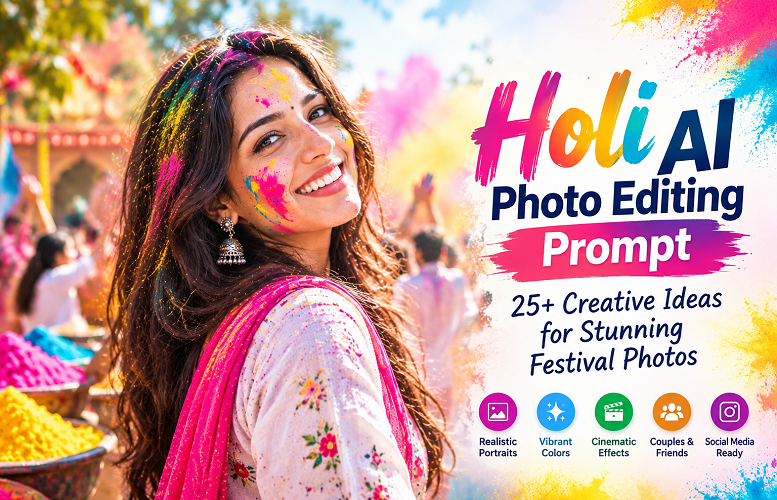

Holi brings people together through colour, music, laughter, and celebration. From bright clouds of gulal to candid moments with friends, the festival offers plenty of opportunities for memorable photographs. Now, AI photo editing tools make it easier to give those pictures a creative twist. The right Holi AI photo editing prompt can turn an everyday selfie into a vibrant festival portrait. You can add colourful powder, improve the lighting, replace a plain background, or create a cinematic look without arranging a professional photoshoot.
However, good results require more than asking an AI tool to make a photo colourful. The best prompts describe the subject, lighting, background, clothing, and desired photography style. If you’re editing your own picture, they should also explain which facial features must remain unchanged.
This guide covers more than 25 Holi AI photo editing prompts for men, women, couples, friends, and social media creators. You’ll also find practical editing instructions, tool comparisons, expert tips, common mistakes, and answers to frequently asked questions.
Whether you want a natural-looking portrait or a dramatic festival image, these examples will help you get started.
Also Read: ChatGPT Photo Editing Prompts for Boys: 38 Ideas 2026
What Is a Holi AI Photo Editing Prompt?
A Holi AI photo editing prompt is a written instruction that tells an AI image tool how to create or modify a photograph with a Holi theme.
You can use a prompt to add coloured powder, introduce festival decorations, adjust the background, or change the overall visual style. Some tools let you edit an existing photo, while others can generate a new image from a description.
For example, you could upload a selfie and ask the tool to preserve your face while adding pink and yellow gulal, warm sunlight, and a softly blurred festival crowd.
Several details influence the final result:
- Subject: The person, couple, or group featured in the image.
- Appearance: Facial features, hairstyle, skin tone, and clothing.
- Colours: The shades of gulal and the overall colour palette.
- Lighting: Natural daylight, golden-hour warmth, or dramatic studio lighting.
- Background: A garden, courtyard, street celebration, or simple studio setting.
- Composition: A close-up portrait, full-body photograph, or wide-angle scene.
- Photography style: Realistic, cinematic, vintage, editorial, or illustrated.
A specific prompt gives the tool a clearer direction. Even so, the results depend on the editing model, the original photograph, and the controls available in the application.
Best Holi AI Photo Editing Prompts for Realistic Results
The following prompts are ready to copy and customise. When editing a personal photograph, upload the original image first and use a tool that supports reference-based editing.
1. Realistic Holi Portrait Prompt
Best for: Natural portraits, profile pictures, and personal festival photos.
Prompt:
Edit my uploaded photo into a realistic Holi festival portrait. Preserve my original facial identity, facial structure, skin tone, hairstyle, and natural expression. Add pink, yellow, blue, and green gulal to my cheeks and forehead. Use soft natural sunlight, realistic skin texture, and a subtle festival crowd in the background. Create professional portrait photography with balanced colors, sharp facial details, and a natural depth of field. Avoid plastic-looking skin, excessive saturation, and unwanted facial changes.
The emphasis on natural lighting and realistic skin texture helps establish a photographic look rather than an artificial filter effect.
2. Holi AI Photo Editing Prompt for Boys
Best for: Stylish portraits, Instagram posts, and modern festival photography.
Prompt:
Transform my photo into a stylish Holi portrait for a young man. Keep my original identity, face shape, hairstyle, and body proportions unchanged. Add colorful gulal to my cheeks and white shirt. Include pink and blue powder floating in the background, dramatic sunlight, subtle shadows, and a modern editorial photography style. Maintain realistic skin texture and natural colors. Give the image a confident, relaxed mood without changing my facial features.
For a more dramatic result, add a dark background and directional lighting. For a casual look, choose an outdoor setting with soft daylight.
3. Holi AI Photo Editing Prompt for Girls
Best for: Traditional portraits, elegant festival photographs, and spring-themed images.
Prompt:
Edit my uploaded photograph into an elegant Holi festival portrait. Preserve my real facial features, skin tone, hairstyle, and natural appearance. Add soft pink, yellow, and purple gulal to my cheeks. Feature a traditional white kurta with subtle embroidery, a sunlit garden, floating color powder, and delicate flower petals. Use realistic photography, soft highlights, detailed fabric textures, and natural skin tones. Keep the composition graceful, colorful, and authentic.
A white or cream outfit creates a clean backdrop for the festival’s brighter colors.
4. Holi AI Photo Editing Prompt for Couples
Best for: Romantic portraits, anniversary posts, and shared festival memories.
Prompt:
Create a realistic Holi couple portrait using the uploaded reference photos. Preserve both people’s individual identities, facial features, skin tones, and natural proportions. Show them smiling while gently applying colorful gulal to each other’s cheeks. Include traditional white outfits, powder floating in the air, warm daylight, and a softly blurred festival background. Use authentic expressions, realistic hands, natural skin texture, and professional photography. Keep the mood joyful, affectionate, and respectful.
When editing two separate reference photographs, check both faces carefully. AI tools can sometimes blend features or change the appearance of one person.
5. Cinematic Holi Photo Editing Prompt
Best for: Dramatic portraits, creative posters, and high-impact social media content.
Prompt:
Turn my uploaded photo into a cinematic Holi festival portrait. Preserve my original identity and facial structure. Add dramatic clouds of red, orange, blue, and yellow powder behind me. Use golden-hour backlighting, atmospheric haze, subtle film grain, rich contrast, and realistic shadows. Capture the colored powder in motion while keeping my face sharp. Create a polished movie-poster composition with detailed textures and natural facial features. Avoid exaggerated effects and artificial-looking skin.
Backlighting works particularly well when the powder appears suspended in the air. It adds depth without requiring an overly complicated background.
6. Traditional Indian Holi Prompt
Best for: Cultural portraits and traditional festival celebrations.
Prompt:
Edit my photo into a traditional Indian Holi celebration scene. Preserve my real face and natural appearance. Feature a traditional kurta, tasteful gulal marks, marigold decorations, and a lively courtyard with friends celebrating in the distance. Use warm sunlight, authentic cultural details, realistic fabric textures, and natural expressions. Keep the setting festive and welcoming without overcrowding the frame.
Traditional clothing and familiar festival decorations can help establish the setting. Choose details that fit the celebration you want to portray.
7. 3D Artistic Holi Portrait Prompt
Best for: Digital artwork, creative avatars, and stylized social media graphics.
Prompt:
Create a polished 3D-inspired Holi portrait based on my uploaded photo. Keep my recognizable facial features and hairstyle. Surround the subject with floating colored powder, glossy splashes, and a vibrant gradient background. Use dimensional lighting, clean edges, rich colors, and detailed textures. Blend recognizable facial details with refined digital artwork. Keep the composition balanced and suitable for a social media profile picture.
Unlike a realistic portrait, this style intentionally emphasises artistic effects. It works best when you want a creative interpretation rather than a photograph that looks untouched.
8. Holi Instagram DP Prompt
Best for: Profile pictures on Instagram, Facebook, and messaging apps.
Prompt:
Edit my photo into a striking Holi-themed profile picture. Preserve my face and identity. Add colorful powder to my cheeks, a clean festive background, bright natural lighting, and sharp portrait details. Use a centered head-and-shoulders composition with enough space around my head for circular cropping. Keep the colors vibrant but realistic, with a polished social media photography finish.
Leave some breathing room around the subject. A tightly cropped image may look good in a full-size preview but lose important details inside a circular profile frame.
9. Holi Friends Group Photo Prompt
Best for: Group portraits and shared festival memories.
Prompt:
Turn our uploaded group photo into a realistic Holi celebration photograph. Preserve each person’s identity, face, hairstyle, and position as closely as possible. Add colorful gulal to clothing and cheeks, powder clouds in the background, and a lively outdoor celebration. Maintain the original number of people and natural body proportions. Use balanced lighting, authentic smiles, realistic hands, and detailed faces. Avoid duplicated people, merged facial features, or unnecessary changes to the group.
Group photographs require extra attention because AI can duplicate people or distort faces when several subjects overlap.
10. Vintage Holi Photography Prompt
Best for: Nostalgic portraits and timeless festival imagery.
Prompt:
Give my uploaded Holi photo a nostalgic 35mm film-photography look. Preserve the original subject and facial features. Add subtle film grain, slightly faded colors, warm highlights, soft shadows, and a natural festival background. Keep the gulal colors visible without oversaturating the image. Create the feeling of a candid photograph captured on vintage film, with realistic textures and gentle contrast.
A restrained vintage effect usually looks more convincing than heavy grain or an extreme colour fade.
More Copy-and-Paste Holi AI Prompts: Holi AI Photo Editing Prompt
These shorter prompts work well when you already have a clear idea of the final image.
| Photo style | Ready-to-use prompt |
|---|---|
| Close-up portrait | Realistic Holi close-up, colourful gulal on cheeks, sharp eyes, natural skin texture, soft daylight. |
| White outfit | White kurta, vibrant powder splashes, realistic fabric, natural sunlight, festive atmosphere. |
| Neon Holi | Modern Holi portrait, neon pink and blue powder, dramatic studio lighting, realistic face. |
| Royal look | Elegant traditional outfit, tasteful Holi colours, palace courtyard, warm cinematic lighting. |
| Street photography | Candid Holi celebration, colourful crowd, spontaneous expressions, documentary-style photography. |
| Minimalist portrait | Clean white background, subtle gulal marks, soft light, elegant portrait composition. |
| Action shot | Dynamic Holi powder burst, frozen motion, sharp subject, realistic movement and lighting. |
| Spring garden | Holi portrait among spring flowers, pastel powder, green foliage, and natural light. |
| Professional headshot | Refined Holi portrait, subtle colour accents, clean background, realistic facial details. |
| Watercolour artwork | Artistic Holi portrait, expressive colour splashes, watercolour textures, textured paper effect. |
| Sunset portrait | Holi portrait at sunset, warm backlighting, floating pink powder, natural skin tones. |
| Festival poster | Bold Holi festival poster, vibrant powder clouds, balanced composition, dramatic lighting. |
| Rainy Holi | Realistic Holi celebration after light rain, colourful reflections, wet surfaces, and soft daylight. |
| Traditional courtyard | Traditional Indian courtyard, white clothing, gulal powder, marigold decorations, natural photography. |
| Editorial portrait | High-end editorial Holi portrait, controlled lighting, detailed skin texture, balanced colour grading. |
Use these prompts as foundations, then add the details that make your photograph distinctive. Your clothing, preferred background, and intended use can all influence the final result.
How to Write an Effective Holi AI Photo Editing Prompt
A strong prompt gives the AI a clear visual target. You don’t need a long paragraph for every edit, but you do need specific instructions.
Step 1: Describe the subject
Start by identifying the photograph you want to edit.
For example, write “my uploaded portrait of a young man” or “our existing couple photograph”. If the image contains several people, specify whether the tool should preserve everyone.
Step 2: Identify the details that must remain unchanged.
When editing personal photographs, explain which features matter most.
Include instructions such as the following:
- Preserve the original facial identity and facial structure.
- Keep the existing hairstyle and skin tone.
- Maintain natural body proportions.
- Retain the person’s expression unless a change is requested.
- Keep the original number of people in the photograph.
These instructions can help guide the edit, although no prompt guarantees perfect identity preservation.
Step 3: Describe the Holi elements.
Name the colours and effects you want to include. Pink, yellow, green, blue, and red powder create a familiar festival palette.
You can also request flower petals, traditional outfits, water splashes, festive decorations, or a crowd in the distance.
Holi celebrates spring, community, and renewal, although traditions vary across India. Choosing cultural details that fit the intended setting can make an image feel more considered and authentic.
Step 4: Choose the lighting.
Lighting has a significant effect on a portrait’s mood.
- Natural daylight: Suitable for realistic portraits.
- Golden hour: Adds warmth and softer highlights.
- Studio lighting: Creates a controlled, polished appearance.
- Backlighting: Helps airborne powder stand out.
- Cinematic lighting: Introduces stronger contrast and atmosphere.
Choose one primary lighting style first. You can experiment with alternatives after reviewing the initial result.
Step 5: Specify the composition and aspect ratio
Think about where you’ll publish the finished image.
- Square: Profile pictures and square social posts.
- Vertical 4:5: Instagram feed portraits.
- Vertical 9:16: Stories and Reels covers.
- Landscape 16:9: Website banners and horizontal graphics.
If the editing tool offers aspect-ratio controls, use them directly. Text instructions alone may not determine the final dimensions.
Which AI Tools Can Edit Holi Photos?
Several image-editing platforms support text-based image creation or editing. Their features, pricing, and availability vary by region, account, and subscription.
Google Gemini
Gemini supports image-related workflows that let users provide images and describe desired changes.
Best for: Conversational editing and straightforward creative experiments.
Adobe Firefly
Adobe Firefly offers generative image-editing features for adding, replacing, or removing visual elements. These tools can help when you want to change part of a photograph without redesigning the entire scene.
Best for: Background changes and targeted creative edits.
Adobe Photoshop
Photoshop combines traditional image-editing controls with generative features such as Generative Fill. Users can select an area and describe the changes they want to make.
Best for: Detailed retouching and users who want greater manual control.
AI Photo Editing Tool Comparison
| Feature | Gemini | Firefly | Photoshop |
|---|---|---|---|
| Image-based workflows | Supported | Supported | Supported |
| Text-based editing | Available | Available | Available |
| Targeted area editing | Depends on workflow | Available | Available |
| Manual editing control | Varies | Available | Extensive |
| Learning curve | Generally approachable | Moderate | Moderate to advanced |
This table describes general workflows rather than guaranteeing that every feature is available on every plan. Check each platform’s current documentation before choosing a tool.
Step-by-Step Guide to Editing a Holi Photo with AI
You don’t need professional photography experience to create a polished festival portrait. Start with a clear image and make changes in a deliberate order.
- Choose your photograph. Select a sharp, well-lit selfie or portrait.
- Open an AI editing tool. Confirm that it supports image uploads and text-based editing.
- Upload your photo. Follow the platform’s instructions for providing a reference image.
- Enter your prompt. Start with one of the examples above and customize the details.
- Review the first result. Inspect facial features, hands, clothing, and powder placement.
- Refine individual elements. Request a softer background, more natural skin texture, or less intense colors.
- Check the final image. Correct visible artifacts and confirm that the result matches your original intention.
- Export the photograph. Select a suitable resolution and aspect ratio for your intended platform.
When a tool supports selected-area editing, use that feature for localized changes. For example, you can select the background and request a festival setting while leaving the face untouched.
Pros and Cons of Holi AI Photo Editing: Holi AI Photo Editing Prompt
AI editing makes creative festival photography more accessible, but it doesn’t eliminate the need for judgment and quality control.
Pros
- Creative flexibility: Experiment with different colors, backgrounds, and artistic styles.
- Time savings: Create variations without arranging a complete photoshoot.
- Photo enhancement: Give a plain portrait a more festive atmosphere.
- Personalization: Adapt prompts to your clothing, preferences, and intended platform.
- Multiple styles: Explore realistic, cinematic, vintage, and illustrated treatments.
Cons
- Facial inconsistencies: Some tools may alter a person’s appearance.
- Unrealistic details: Hands, powder textures, and background objects may look distorted.
- Limited control: A model may ignore instructions or modify unrelated details.
- Privacy concerns: Uploading personal photographs may involve data-processing and retention practices.
- Potential costs: Some platforms limit editing features, credits, or high-resolution exports.
Treat AI as an editing assistant, not an automatic guarantee of professional quality. Always inspect the final image before publishing it.
Expert Tips for More Realistic Holi AI Photos
The difference between an ordinary AI edit and a convincing portrait often comes down to restraint and attention to detail.
1. Avoid overwhelming the image with color
Too much powder can hide facial features and make the image look artificial. Start with two or three dominant colors, then add others if the composition needs them.
2. Make facial details a priority
Ask the AI to preserve the original face, eyes, nose, hairstyle, and skin texture. Compare the result with the source photograph, especially around the eyes and mouth.
3. Match the powder to the lighting
Colored powder should interact naturally with the scene’s light and shadows. Backlighting can highlight airborne particles, while soft frontal lighting often produces a cleaner portrait.
4. Edit in stages
Changing every element at once can make it difficult to identify what improved or damaged the image. Instead, divide the process into a few focused edits:
- Adjust the background.
- Add the Holi powder.
- Refine the lighting and color balance.
- Correct small visual imperfections.
This approach gives you more control and makes unwanted changes easier to identify.
5. Use negative instructions selectively
If your editing tool responds well to exclusions, add a short instruction such as:
Avoid plastic-looking skin, distorted hands, extra fingers, duplicated people, excessive saturation, blurry facial features, and artificial-looking powder.
Negative instructions may reduce unwanted effects, but they cannot eliminate every generation error.
6. Protect privacy and respect consent
Obtain permission before uploading or sharing someone else’s personal photograph. Review the platform’s privacy policy and avoid uploading sensitive images unnecessarily.
If you publish an AI-edited image, provide appropriate context when viewers might mistake a fictional scene for a real event.
Common Holi AI Photo Editing Mistakes to Avoid
Even a detailed Holi AI photo editing prompt can produce disappointing results when the instructions conflict or leave important details unclear.
Watch out for these common problems:
- Vague directions: “Make my photo beautiful” doesn’t explain the desired result.
- Too many styles: Combining cartoon, cinematic, vintage, and hyperrealistic looks can produce an inconsistent image.
- Excessive retouching: Over-smoothing removes natural skin texture.
- Cluttered backgrounds: Requesting several locations or effects at once can distract from the subject.
- Ignoring the crop: A portrait may lose important details when converted to a square profile picture.
- Skipping quality checks: Minor artifacts can become obvious when you zoom in or publish the image.
A focused prompt with a clear subject, a defined visual style, and a few specific effects usually provides a better starting point.
(FAQs): About Holi AI Photo Editing Prompt
1. What is the best Holi AI photo editing prompt?
The best prompt describes the subject, desired Holi colors, lighting, background, and photography style. For personal photographs, include instructions to preserve the person’s identity and natural facial features.
2. Can I use a Holi AI photo editing prompt with my own selfie?
Yes. Tools that support image uploads can use your selfie as a reference. Choose a clear photograph and explain which details should remain unchanged.
3. How do I create a realistic Holi photo with AI?
Start with a sharp photograph, natural lighting, and a moderate amount of colored powder. Request realistic skin texture and a softly blurred background. Then check the result for facial inconsistencies and distorted hands.
4. Which AI tool is best for Holi photo editing?
Gemini offers a conversational editing workflow, while Firefly and Photoshop provide useful generative editing controls. Your best choice depends on your experience, preferred workflow, and the features available to you.
5. Can I create a Holi AI photo for Instagram?
Yes. Request a square image for a profile picture or a vertical composition for a Story or Reels cover. Check the crop before exporting so the subject remains visible.
6. How can I keep my face unchanged in an AI-edited Holi photo?
Use a clear reference photo and explicitly ask the tool to preserve your facial structure, skin tone, hairstyle, and expression. Some tools may still alter details, so compare the output with the original.
7. Can I create Holi photos for couples and friends?
Yes. Upload the relevant reference photographs when the tool supports them, then describe the subjects’ positions, clothing, and interactions. Review each face carefully because group photographs can be harder to edit accurately.
8. Are Holi AI photo editing tools free?
Some services offer free access or limited features, while others charge for certain edits or high-resolution exports. Check current pricing and usage limits before starting a large project.
9. Why does my AI Holi photo look artificial?
Common causes include oversaturated colors, inconsistent lighting, excessive skin smoothing, and distorted facial details. Simplify the prompt, reduce the effects, and refine the image in smaller steps.
10. Can I use AI-edited Holi photos commercially?
Possibly. Commercial use depends on the tool’s license, the source photograph, applicable rights, and your intended use. Review the platform’s current terms and obtain permission from identifiable people when appropriate.
Conclusion: Holi AI Photo Editing Prompt
A well-written Holi AI photo editing prompt can turn a simple portrait into a colorful festival image that feels personal and memorable. The strongest results combine clear instructions with realistic lighting, balanced colors, and careful attention to facial details.
Start with a style that suits your goal, whether that’s a natural portrait, a cinematic scene, or a playful couple photograph. Refine one or two elements at a time instead of changing the entire image with every edit.
Above all, review the finished photograph before sharing it. AI can expand your creative options, but careful editing and good judgment make the difference between a generic result and a polished image worth keeping.