
A great photo doesn’t always need a professional camera or an expensive studio. Sometimes, a few thoughtful editing instructions can transform an ordinary selfie into a portrait worth sharing. That’s where ChatGPT photo editing prompts for boys come in. Whether you want a cinematic profile picture, a sharp streetwear portrait, or a natural-looking Instagram DP, the right prompt helps you communicate your vision to an AI image editor.
You can experiment with dramatic lighting, different backgrounds, modern fashion styles, vintage effects, and professional photography looks. You can also refine small details without changing the features that make your photo recognisable.
The key is knowing what to ask for. A vague instruction such as “make my photo look cool” leaves too much room for interpretation. A specific description of lighting, composition, colours, and facial details gives the editing tool a clearer direction.
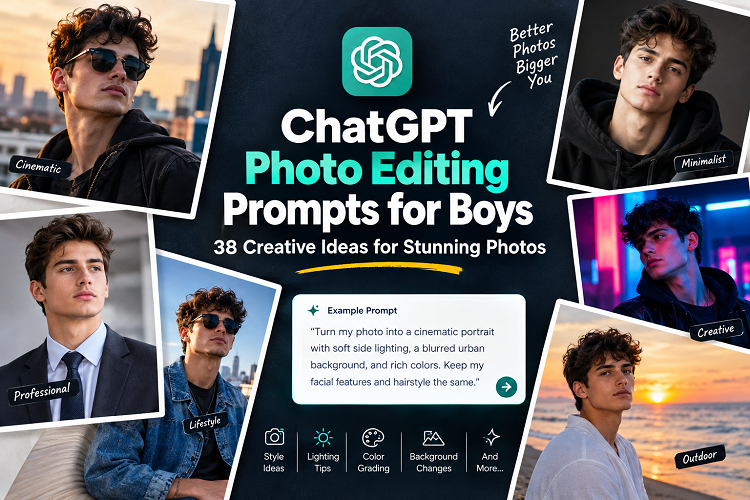
This guide brings together 38 ready-to-use prompts, practical editing techniques, a style comparison table, and answers to common questions. Each example is designed to help you create a look that suits your personality and the platform where you plan to share it.
Also Read: New ChatGPT Trend Prompt: 30+ Viral Prompts to Try in 2026
What Are ChatGPT Photo Editing Prompts for Boys?
ChatGPT photo editing prompts for boys are written instructions that describe how an AI tool should transform or enhance a photograph. They can cover everything from lighting and background changes to clothing, colour grading, and artistic effects.
For example, you might upload a casual selfie and ask for a cinematic portrait with soft side lighting, a blurred city background, and realistic skin texture.
Instead of relying on a generic filter, you give the tool specific instructions about the final image.
Why Are These Prompts So Popular?
AI-assisted photo editing appeals to people who want more creative control without learning complicated editing software.
Common uses include:
- Instagram and Facebook profile pictures: Create a polished image that looks good at a small size.
- Fashion photography: Experiment with streetwear, formal outfits, and editorial styling.
- Professional headshots: Give portraits a clean background and balanced lighting.
- Creative portraits: Explore cinematic colours, vintage effects, and dramatic shadows.
- Personal branding: Develop a consistent visual style across social media profiles.
- Photography experiments: Try different aesthetics using the same original photograph.
The flexibility is particularly useful when you have a good photo but dislike its background, lighting, or overall appearance.
Keep in mind that ChatGPT’s available image features can vary by account and change over time. Depending on your workflow, you may be able to edit an uploaded image directly or use ChatGPT to prepare instructions for another image editor.
How to Write Better ChatGPT Photo Editing Prompts: ChatGPT Photo Editing Prompts for Boys
The most effective prompts combine a clear goal with a few carefully chosen visual details.
A useful formula is:
Subject + style + lighting + background + colour treatment + details to preserve.
Consider this example:
“Edit my uploaded photo into a realistic cinematic portrait of a young man. Use soft side lighting, a dark urban background, natural skin texture, and subtle teal-and-orange colour grading. Preserve my facial identity, hairstyle, and natural proportions. Avoid excessive smoothing and artificial-looking details.”
This prompt gives the editor a specific direction while explaining what should remain unchanged.
Six Details That Make a Difference
1. Subject: Explain whether you want a selfie enhancement, full-body portrait, fashion photograph, or professional headshot.
2. Style: Choose a recognisable aesthetic, such as cinematic, minimalist, vintage, editorial, or streetwear.
3. Lighting: Specify golden-hour sunlight, soft studio lighting, dramatic side lighting, or a naturally lit environment.
4. Background: Describe the setting you want, whether it’s a city street, rooftop, beach, studio, or simple neutral backdrop.
5. Colour grading: Mention warm tones, muted colours, black and white, or a restrained blue colour palette.
6. Preservation instructions: Tell the tool to retain your recognisable facial features, natural skin texture, hairstyle, and body proportions.
You don’t need to describe every detail in every prompt. Focus on the changes that will have the greatest impact on your photograph.
38 Best ChatGPT Photo Editing Prompts for Boys
The following prompts cover popular styles, from everyday selfie improvements to dramatic fashion portraits. Copy the examples directly, then adjust the details to suit your original photo.
1. Cinematic Portrait
Create a dramatic, movie-inspired portrait with realistic lighting and rich colours.
Prompt:
“Transform my uploaded photo into a cinematic portrait of a young man. Use dramatic side lighting, a softly blurred urban background, rich shadows, realistic skin texture, and subtle teal-and-orange color grading. Preserve my facial identity and natural proportions. Make the result resemble a professionally photographed movie still.”
2. Stylish Instagram DP
A strong display picture keeps the subject recognisable, even when the image appears as a small circle.
Prompt:
“Edit my photo into a stylish Instagram profile picture. Use flattering natural light, a clean background, sharp facial details, balanced colours, and a modern editorial finish. Preserve my facial identity and natural skin texture. Crop the image for a clear, centred profile portrait.”
3. Black-and-White Portrait
Monochrome photography works particularly well when you want the viewer to focus on expression, light, and composition.
Prompt:
“Create a timeless black-and-white portrait from my uploaded photo. Use expressive lighting, deep but detailed shadows, crisp facial features, and subtle film grain. Preserve my original expression and facial structure. Give the photograph an authentic fine-art photography aesthetic.”
4. Streetwear Fashion Portrait
Urban backgrounds and contemporary styling create a natural fit for casual fashion photography.
Prompt:
“Edit my portrait into a modern streetwear fashion photograph. Use a tasteful urban background, natural-looking shadows, contemporary color grading, and an editorial composition. Keep my face, hairstyle, and body proportions consistent with the original image. Make the result stylish without looking artificial.”
5. Luxury Editorial Portrait
This style suits fashion portfolios and sophisticated social media content.
Prompt:
“Turn my uploaded photo into a premium fashion editorial portrait. Use refined lighting, a minimalist architectural background, elegant composition, and sophisticated neutral colors. Preserve my real facial features and natural skin texture. Create a polished magazine-inspired photograph without adding fake brand logos.”
6. Golden-Hour Portrait
Warm sunlight can add depth and a relaxed atmosphere to an otherwise ordinary outdoor photo.
Prompt:
“Enhance my portrait with warm golden-hour sunlight. Add gentle highlights, soft shadows, natural skin tones, and a beautifully blurred outdoor background. Preserve my facial identity and expression. Make the image feel relaxed, authentic, and professionally photographed.”
7. Moody Portrait
For a more understated look, use controlled shadows and muted colors instead of heavy filters.
Prompt:
“Create a moody, atmospheric portrait using low-key lighting, deep shadows, muted colors, and a dark, softly blurred background. Keep my face visible and realistic. Preserve natural skin texture and facial proportions while giving the image a subtle artistic finish.”
8. Clean White Background
A simple background removes distractions and puts attention on the subject.
Prompt:
“Edit my uploaded portrait into a clean, professional photograph with a simple white background. Use even lighting, accurate skin tones, natural facial details, and a neat composition. Preserve my identity and hairstyle. Avoid artificial skin smoothing and unnecessary visual effects.”
9. Rainy City Portrait
Reflections and soft city lights can create an atmospheric nighttime photograph.
Prompt:
“Transform my photo into a realistic nighttime city portrait after rain. Add wet pavement reflections, soft neon lights in the background, and cinematic lighting. Keep the effects subtle, preserve my facial identity, and maintain natural proportions. Make the photograph look authentic rather than fantasy-inspired.”
10. Professional Headshot
For job applications and LinkedIn profiles, clean lighting matters more than dramatic effects.
Prompt:
“Create a polished professional headshot from my uploaded photograph. Use soft studio lighting, a neutral background, natural skin texture, and balanced contrast. Preserve my face, hairstyle, and expression. Make the result suitable for a résumé, LinkedIn profile, or professional portfolio.”
11. Anime-Inspired Portrait
An illustrated style can work well for avatars and creative profile pictures.
Prompt:
“Create an anime-inspired artistic version of my uploaded portrait. Use clean linework, expressive but recognisable facial features, cinematic colours, and a carefully designed background. Preserve the main characteristics of my appearance while making the illustration style intentional and visually consistent.”
12. Vintage Film Photography
Subtle grain and faded colours give digital photographs a nostalgic character.
Prompt:
“Give my portrait the look of classic 35mm film photography. Use warm highlights, slightly faded colors, subtle grain, and soft natural contrast. Preserve my original face and expression. Avoid excessive scratches or artificial aging effects.”
13. Minimalist Fashion Portrait
This approach works best when you want a polished image without distracting details.
Prompt:
“Edit my photo into a minimalist fashion portrait. Use a simple architectural background, clean composition, understated colours, and soft directional lighting. Keep my facial features and natural proportions unchanged. Aim for an elegant editorial look with no distracting objects.”
14. Nighttime Neon Portrait
Neon lighting can create a striking image, provided the colors don’t overwhelm the subject.
Prompt:
“Create a realistic nighttime portrait with subtle blue and magenta neon lighting. Use a softly blurred city background, controlled highlights, and natural skin texture. Preserve my facial identity and avoid excessive glow. Make the final image resemble professional urban portrait photography.”
15. Outdoor Nature Portrait
Greenery and natural light create a softer alternative to urban photography.
Prompt:
“Enhance my photograph with a natural outdoor setting featuring soft greenery and gentle sunlight. Use realistic depth of field, balanced colors, and flattering light. Preserve my face, hairstyle, and original expression. Keep the background believable and avoid oversaturated greens.”
16. Formal Suit Portrait
A formal outfit can give a casual photograph a more refined appearance.
Prompt:
“Edit my uploaded photo into an elegant formal portrait. Dress me in a well-fitted dark suit with a clean shirt, using realistic fabric textures and natural folds. Add soft studio lighting and a refined background. Preserve my facial identity and body proportions.”
17. Casual Denim Portrait
Denim works well for relaxed lifestyle photography and everyday profile pictures.
Prompt:
“Create a relaxed fashion portrait featuring a classic denim outfit. Use natural daylight, an understated urban background, and authentic fabric details. Preserve my facial identity and realistic proportions. Give the image a modern lifestyle-photography finish.”
18. Motorcycle-Inspired Portrait
A motorcycle-themed image can convey a bold, adventurous aesthetic without relying on exaggerated effects.
Prompt:
“Transform my photograph into an editorial portrait with a motorcycle-inspired urban aesthetic. Use a realistic street setting, dramatic but natural lighting, and restrained color grading. Keep my face and body proportions accurate. Avoid unsafe riding behavior or unnecessary visual clutter.”
19. Rooftop City Portrait
A city skyline makes a useful background for travel-inspired and lifestyle portraits.
Prompt:
“Edit my photo into a stylish rooftop portrait overlooking a modern city. Use soft evening light, realistic architectural details, and gentle background blur. Preserve my facial identity and natural posture. Create a sophisticated travel-and-lifestyle photography look.”
20. Beach Sunset Portrait
Warm sunset light adds color without requiring an elaborate editing style.
Prompt:
“Enhance my portrait with a beautiful beach sunset in the background. Use warm sunlight, realistic reflections, gentle shadows, and natural skin tones. Preserve my original facial features and proportions. Keep the scene believable and avoid exaggerated orange colors.”
21. Magazine-Style Portrait
This editorial look works well for creative portfolios and social media posts.
Prompt:
“Turn my portrait into a high-end editorial magazine-style photograph. Use dramatic studio lighting, sophisticated color grading, and a clean composition. Preserve my facial identity and natural skin texture. Leave clear negative space around the subject for a title, but do not generate text or logos.”
22. Soft Pastel Portrait
Pastel colors create a gentle, modern look without the intensity of dramatic color grading.
Prompt:
“Give my photograph a soft pastel aesthetic with gentle pink, blue, and cream tones. Use diffused lighting, subtle contrast, and a clean background. Preserve my face and natural skin color. Keep the result refined rather than overly bright or cartoonish.”
23. Gym Portrait
Fitness photography benefits from clear details and realistic proportions.
Prompt:
“Enhance my gym portrait with balanced contrast, realistic lighting, and a clean fitness-photography aesthetic. Preserve my actual body shape and facial identity. Improve clarity without exaggerating muscle definition or changing my physical proportions.”
24. College Lifestyle Portrait
A campus setting suits casual portraits that feel relaxed rather than staged.
Prompt:
“Create a natural campus lifestyle portrait from my uploaded photo. Use a believable college setting, soft daylight, casual styling, and realistic background blur. Preserve my face and original proportions. Make the photograph feel spontaneous, friendly, and authentic.”
25. Travel Photography Portrait
Use this prompt when you want your photograph to feel like part of a travel album.
Prompt:
“Edit my portrait into a polished travel photograph featuring a realistic scenic background. Use natural lighting, accurate colors, and balanced composition. Preserve my facial identity and body proportions. Make the subject blend naturally into the environment.”
26. Luxury Car Background
A tasteful automotive setting can add a sophisticated lifestyle-photography element.
Prompt:
“Create an editorial lifestyle portrait with a tasteful luxury-car background. Use realistic reflections, balanced lighting, and a sophisticated urban setting. Preserve my actual face and body proportions. Keep the car’s design believable and avoid fake logos or misleading details.”
27. Dark Academia Portrait
Muted browns, classic interiors, and soft window light create a timeless atmosphere.
Prompt:
“Give my photograph a dark academia aesthetic with warm brown tones, soft window light, and a classic library or study background. Preserve my facial identity and natural expression. Use subtle contrast and realistic textures for a thoughtful, timeless portrait.”
28. Soft Studio Portrait
Studio-style lighting can improve a portrait without making it look heavily edited.
Prompt:
“Transform my uploaded photo into a professional studio portrait. Use a large soft light source, gentle shadows, a neutral background, and realistic skin texture. Preserve my facial features and hairstyle. Keep retouching subtle and maintain a natural appearance.”
29. Rainy Window Portrait
This style suits thoughtful, cinematic photographs with a quieter mood.
Prompt:
“Create a cinematic portrait beside a rain-covered window. Use soft diffused light, realistic water droplets, muted colors, and a gentle background blur. Preserve my facial identity and original expression. Keep the scene photographic and avoid distracting artificial effects.”
30. Sports Portrait
A dynamic composition can give sports photographs more energy without changing the subject’s physique.
Prompt:
“Edit my photo into a dynamic sports portrait with controlled dramatic lighting, crisp details, and a clean background. Preserve my real appearance and natural body proportions. Use energetic composition and realistic colors without adding exaggerated muscles or fake equipment.”
31. Minimalist Black Outfit
Black clothing and restrained lighting create a modern, understated look.
Prompt:
“Create a modern portrait featuring a simple black outfit against a dark gray background. Use subtle rim lighting, clean shadows, and restrained color grading. Preserve my face, hairstyle, and proportions. Make the result sophisticated and suitable for a social media profile.”
32. Bright Summer Portrait
A bright outdoor style works well for casual profile pictures and lifestyle content.
Prompt:
“Enhance my photograph with a bright summer aesthetic. Use natural sunlight, fresh but realistic colors, soft shadows, and a clean outdoor background. Preserve my facial identity and natural skin tone. Avoid excessive saturation and artificial-looking highlights.”
33. Retro Street Photography
A film-inspired street aesthetic adds character without making the image look overly polished.
Prompt:
“Give my photo a retro street-photography look inspired by classic urban film images. Use slightly muted colors, subtle grain, natural shadows, and candid composition. Preserve my original facial features. Make the final result feel authentic rather than heavily filtered.”
34. Dramatic Side-Light Portrait
Directional lighting emphasizes facial contours and creates a strong visual focal point.
Prompt:
“Create a dramatic portrait using directional light from one side of my face. Keep the shadows detailed, the highlights controlled, and the background simple. Preserve my facial identity, skin texture, and natural proportions. Aim for a professional studio-photography finish.”
35. Artistic Double-Exposure Portrait
Double exposure combines two visual elements into one creative composition.
Prompt:
“Create an artistic double-exposure portrait using my uploaded photo and a subtle cityscape silhouette. Blend the two images carefully while keeping my face recognizable. Use balanced contrast, clean edges, and a cohesive color palette. Avoid overlapping important facial details.”
36. Natural Selfie Enhancement
Sometimes, the best edit is the one people barely notice.
Prompt:
“Improve my original selfie with balanced exposure, correct white balance, subtle sharpening, and natural skin retouching. Reduce distracting background elements without changing my facial features. Preserve my expression and skin texture. Make the result look like a better version of the original photograph, not a different person.”
37. Dramatic Blue Portrait
A controlled blue palette creates a cool, cinematic appearance.
Prompt:
“Edit my portrait with a deep blue color palette, soft directional lighting, and a dark, uncluttered background. Preserve natural skin tones where appropriate, maintain realistic facial details, and avoid excessive blue tinting. Create a polished, cinematic finish.”
38. Premium Profile Picture
This final option is versatile enough for several social media platforms.
Prompt:
“Create a premium profile picture from my uploaded photo. Use flattering light, a simple background, sharp eyes, natural skin texture, and balanced contrast. Preserve my facial identity and hairstyle. Crop the image so my face remains clear in a small circular profile display.”
Which Photo Editing Style Should You Choose? ChatGPT Photo Editing Prompts for Boys
Different styles serve different purposes. Choose one that fits the photograph and how you intend to use it.
| Editing style | Best for | Main characteristics |
|---|---|---|
| Cinematic | Dramatic portraits | Deep shadows and film-like colors |
| Instagram DP | Social media profiles | Clear face and balanced lighting |
| Professional headshot | LinkedIn and résumés | Neutral background and natural light |
| Streetwear | Fashion content | Urban setting and editorial colors |
| Golden hour | Outdoor portraits | Warm highlights and soft shadows |
| Black and white | Artistic portraits | Tonal contrast and timeless appeal |
| Vintage film | Nostalgic photography | Muted colors and subtle grain |
| Anime-inspired | Creative avatars | Illustrated features and stylized colors |
| Luxury editorial | Fashion portfolios | Refined lighting and minimal styling |
| Natural selfie | Everyday photos | Subtle corrections and realistic texture |
For an Instagram profile picture, prioritize a clear face and simple background. For a professional headshot, keep the lighting natural and the retouching restrained. A cinematic style is better suited to creative profiles and artistic posts.
How to Use Photo Editing Prompts in ChatGPT: ChatGPT Photo Editing Prompts for Boys
The process depends on the image features available in your account and the tool you choose.
- Open ChatGPT and start a conversation.
- Upload your photograph if image uploads are supported.
- Describe the style you want and identify the details that must remain unchanged.
- Paste a suitable prompt from this guide.
- Review the generated or edited image carefully.
- Request specific corrections if the result misses the mark.
- Save or export the final image using the available options.
If your workflow doesn’t support direct photo editing, you can use ChatGPT to refine a prompt for a compatible image editor.
Example: Turning an Ordinary Selfie Into a Better Portrait
Imagine taking a selfie indoors under harsh overhead lighting. Your face looks washed out, and the background distracts from the subject.
Instead of requesting a completely different appearance, start with a focused instruction:
“Improve the lighting, correct the white balance, reduce background distractions, and sharpen the eyes slightly. Preserve my facial identity, natural skin texture, hairstyle, and original expression. Avoid beauty filters or changes to my face shape.”
If the result looks too smooth, follow up with a smaller adjustment:
“Restore realistic skin texture and reduce retouching. Keep natural facial details visible.”
This approach makes it easier to identify what works and what needs improvement.
Pros and Cons of AI Photo Editing Prompts: ChatGPT Photo Editing Prompts for Boys
AI-assisted editing offers creative freedom, but it also has limitations.
Pros
- Easy customization: Adjust backgrounds, lighting, and styles with ordinary language.
- Creative flexibility: Explore several looks using one photograph.
- Accessible workflow: Experiment without mastering professional editing software.
- Social media versatility: Create portraits for different platforms and purposes.
- Faster experimentation: Compare editing directions before choosing a final image.
Cons
- Inconsistent results: Different tools may interpret the same prompt differently.
- Changes to facial features: AI can subtly alter a face, expression, or hairstyle.
- Visual errors: Hands, clothing, reflections, and background details may look unnatural.
- Feature restrictions: Some services limit editing tools or image generations by plan.
- Privacy concerns: Uploaded photographs may be processed under the provider’s data policies.
Treat AI editing as a creative aid, not a guarantee of photographic accuracy. Always inspect the result before sharing it.
Expert Tips for More Realistic Photo Edits: ChatGPT Photo Editing Prompts for Boys
Start With a Good Original Photo
Choose an image with clear facial details, reasonable resolution, and sufficient lighting. The better the original photograph, the easier it is to preserve important details during editing.
A blurry or heavily compressed selfie can limit the quality of the final image.
Change One Major Element at a Time
Avoid changing your outfit, hairstyle, facial features, pose, background, and lighting in a single request.
Begin with the background or lighting. Once those elements look right, adjust clothing or color grading if necessary. This makes it easier to identify unwanted changes.
Protect Your Facial Identity
If you’re editing your own picture, explicitly ask the tool to preserve your recognizable facial features, expression, hairstyle, and proportions.
These instructions can help, but they cannot guarantee that every detail will remain identical. Compare the finished image with the original before using it as a personal or professional portrait.
Keep Retouching Subtle
Excessive skin smoothing, exaggerated eye enhancement, and heavy contrast can make a photograph look artificial.
For a natural finish, prioritize balanced exposure, accurate skin tones, realistic textures, and controlled sharpening.
Match the Crop to the Platform
Think about the final display format before editing.
- Profile pictures: Keep the face centered and recognizable at a small size.
- Instagram posts: Use a composition suited to the intended feed format.
- Stories and vertical content: Choose a vertical crop with room around the subject.
- Professional profiles: Use a clean background and natural-looking lighting.
- Wallpapers: Leave enough negative space for icons or text.
A strong photograph can lose its impact when an unsuitable crop cuts off important details.
Tell the Tool What to Avoid
Negative instructions can help clarify your expectations. Consider adding relevant directions such as:
- Do not change my facial identity.
- Avoid plastic-looking skin.
- Do not distort hands or fingers.
- Avoid fake logos and unreadable text.
- Do not exaggerate my body proportions.
- Keep the background realistic.
Use only the restrictions that apply to your photograph. Too many unnecessary instructions can make a prompt harder to follow.
Protect Your Privacy
Before uploading a photograph, review the image service’s privacy and data-retention policies. Avoid including sensitive documents, addresses, or private information in the image.
If someone else appears in the photograph, get their permission before editing or sharing it in ways they might not expect.
Common Mistakes to Avoid: ChatGPT Photo Editing Prompts for Boys
Even a detailed prompt can produce disappointing results when the instructions lack focus.
Using vague descriptions: Words such as “awesome” and “handsome” express a preference but don’t explain the intended visual treatment. Describe the lighting, background, and editing style instead.
Mixing conflicting styles: Bright daylight, deep nighttime shadows, pastel colors, and gritty monochrome effects may pull the image in different directions. Choose one dominant aesthetic.
Requesting too many changes: Multiple major edits can encourage the tool to reinterpret features you wanted to preserve. Separate complicated edits into manageable steps.
Ignoring the original image: Poor resolution, obstructed facial features, and difficult lighting can limit the results. Start with the clearest photo available.
Skipping the final inspection: Check the face, hair, hands, clothing edges, reflections, and background. Correct visible mistakes before publishing the image.
(FAQs): About ChatGPT Photo Editing Prompts for Boys
1. What are the best ChatGPT photo editing prompts for boys?
The strongest prompts specify the intended style, lighting, background, and finishing details. Cinematic portraits, natural selfie enhancements, streetwear edits, and professional headshots are excellent starting points.
2. Can ChatGPT edit my photo directly?
Depending on the features available in your account, ChatGPT may support editing or generating images based on an uploaded photograph. If direct editing isn’t available in your workflow, you can use ChatGPT to prepare prompts for a compatible image editor.
3. Which prompt works best for a boy’s Instagram DP?
Try this instruction:
“Create a clean, stylish profile portrait using my uploaded photo. Use soft lighting, a simple blurred background, sharp eyes, and natural skin texture. Preserve my facial identity and crop the image for a centered profile picture.”
4. How can I make my photo look cinematic?
Describe directional lighting, controlled shadows, a realistic background, subtle color grading, and film-inspired composition. Ask the tool to preserve your facial features and avoid excessive visual effects.
5. Can I use these prompts for free?
You can copy and customize these prompts without paying for this article. However, access to image editing, available features, and generation limits depend on the service and its current plan.
6. How do I keep my face realistic during AI editing?
Start with a clear photograph and request that the tool preserve your facial identity, proportions, expression, and natural skin texture. Review the output carefully because these instructions cannot guarantee perfect identity preservation.
7. Are these prompts suitable for Android and iPhone users?
Yes. You can use the prompts on supported mobile or desktop workflows. The exact process depends on the application, account features, and image-upload options available to you.
8. Can these prompts change my outfit or background?
Many AI image-editing tools can modify clothing and backgrounds. Describe the desired changes precisely, and specify which features should remain unchanged.
9. How can I make an AI-edited photo look less artificial?
Use realistic lighting, moderate color grading, natural skin texture, and restrained retouching. Avoid exaggerated facial changes, excessive sharpening, and unrealistic background effects.
10. Can I share AI-edited photos on social media?
Generally, you can share images in accordance with the relevant platform rules and the image service’s terms. Check applicable rights, privacy expectations, and disclosure requirements, particularly for commercial use or materially misleading edits.
Conclusion: ChatGPT Photo Editing Prompts for Boys
The best ChatGPT photo editing prompts for boys do more than add effects. They help translate a creative idea into clear instructions that an image editor can follow.
Whether you want a cinematic portrait, a modern streetwear photo, a professional headshot, or a clean Instagram DP, start with a style that fits your purpose. Use the prompts in this guide as a foundation, then adjust the lighting, background, and color treatment to match your preferences.
For the most convincing results, focus on realistic skin texture, natural proportions, balanced lighting, and a clean composition. Review every edit before sharing it, especially when facial identity matters.
You don’t need dozens of complicated instructions to improve a photograph. A clear prompt, a good original image, and a few thoughtful adjustments can make all the difference.